Glass is not a background
Designing with Liquid Glass on macOS 26 for meetre. Where glass belongs, where it absolutely doesn't, the exact recipe behind the floating panels, and why the same restraint ended up in my marketing images too.
The easiest meetre library window to design would have been a frosted glass sidebar, a frosted glass toolbar, and a summary sitting on a frosted glass card on top of all that. It would look incredible in a screenshot. It would also be unreadable the moment you put a busy wallpaper behind it, and a little nauseating after five minutes of scrolling a transcript.
That was my introduction to Liquid Glass, the material Apple rolled out across macOS 26. It's gorgeous, and it's very easy to use wrong, because every time you add it the screenshot gets better and the app gets slightly worse.
Glass is for things that float
The rule I ended up writing into meetre's design book is short: glass goes on floating controls, and nowhere else. The record button is glass. The action rows in the menu bar popover are glass. The little buttons in the header of the live transcript overlay are glass. These are all things that sit on top of something and need to feel like they're hovering there, a bit separate from the content.
The content itself, the transcript and the summary text, always sits on a solid background. Never glass behind long text. Reading a paragraph through a translucent surface means your eye is constantly fighting whatever colour is moving underneath. For a label with three words that's fine. For a 30-minute transcript it's a headache.
Glass is a way of saying "this floats." If everything floats, nothing does.
The second rule follows from that: never glass on glass. One glass layer per region. Stack two and you lose the whole effect, because the thing glass communicates (this is above that) stops being true when the "that" is also glass. It turns into a sort of foggy soup where nothing has a clear depth.
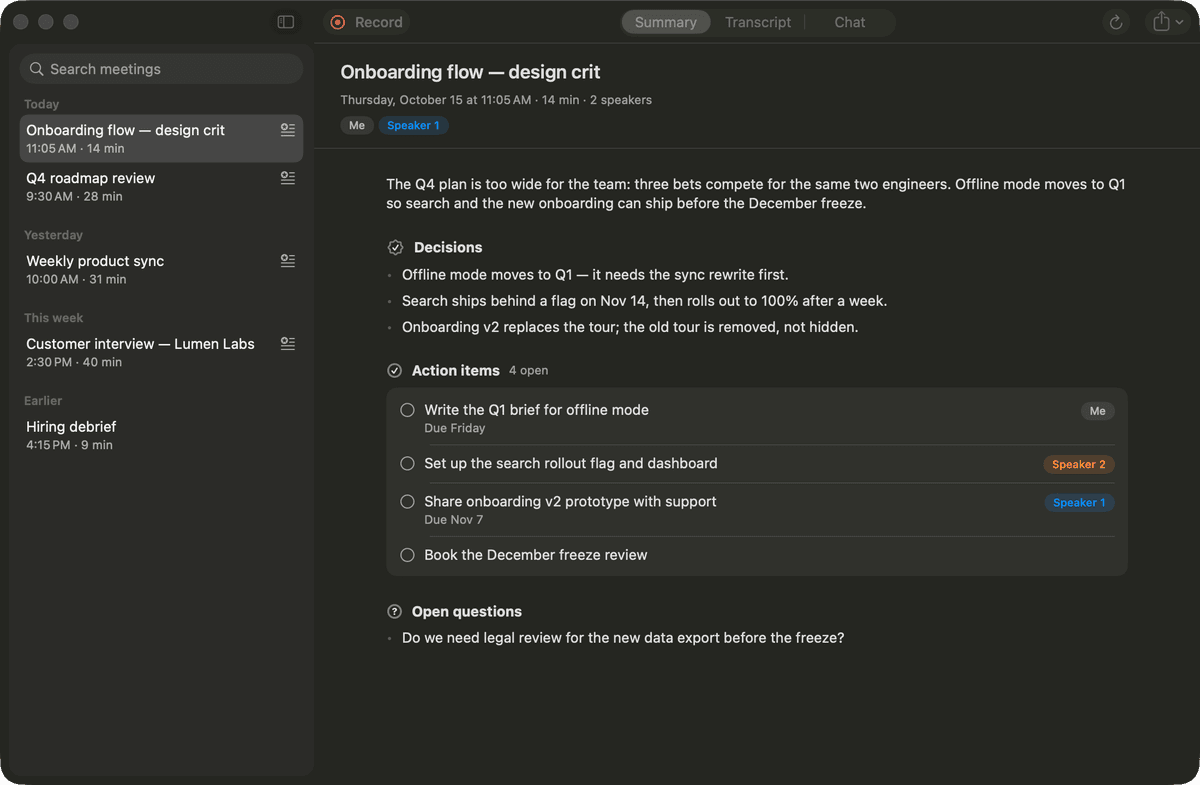
Look at the library window now and it's almost boring. Solid sidebar, solid content area, a compact toolbar. The summary has a maximum line length of around 72 characters so it reads like a page instead of a banner. All the drama went into the few controls that actually earn it.
The recipe for a panel that reads over anything
The floating overlays (live transcript, live summary) were the hardest case, because they sit on top of literally anything: a video call, a spreadsheet, your wallpaper, a white Notion page. Pure glass would pick up whatever colour is behind it and the caption text would go from readable to invisible depending on which window happened to be underneath.
So the overlays aren't really glass. They're a dark HUD material with a 94% graphite tint on top, a 1 point white border at 14% opacity, a 14 point corner radius and the standard system shadow. The tint does almost all the work. At 94% there's just enough translucency left that the panel feels like it belongs to the system instead of a pasted rectangle, but not enough for the background to interfere with the text.
They're also always dark, regardless of whether you're in light or dark mode. A light panel would look lovely on a dark desktop and disappear completely over a white document. Always-dark is the only version that holds up everywhere.
The text contrast is checked against that graphite tint, not against some ideal grey I imagined. The minimum is 4.5:1, and I verified the HUD text against the actual material values. That's the boring part of working with glass that nobody puts in the keynote: you can't check contrast against a material that changes, so you have to decide how much it's allowed to change first.
Respecting the people who turn it off
Some people switch on Reduce Transparency in their accessibility settings. Sometimes because the effect makes them dizzy, sometimes because they just find it distracting, sometimes because they're on an older machine and it helps. In meetre, when that setting is on, every glass surface becomes solid. Same goes for Increase Contrast, and for Reduce Motion, which turns the slow drifting aurora in the onboarding into simple cross-fades.
I think of it as a test of whether the design works without the decoration. If turning off the glass breaks the layout or makes a control unrecognisable, the glass was doing a job it shouldn't have been doing. In meetre it just looks a bit more plain. That's the right result.
The onboarding is the one place I let loose
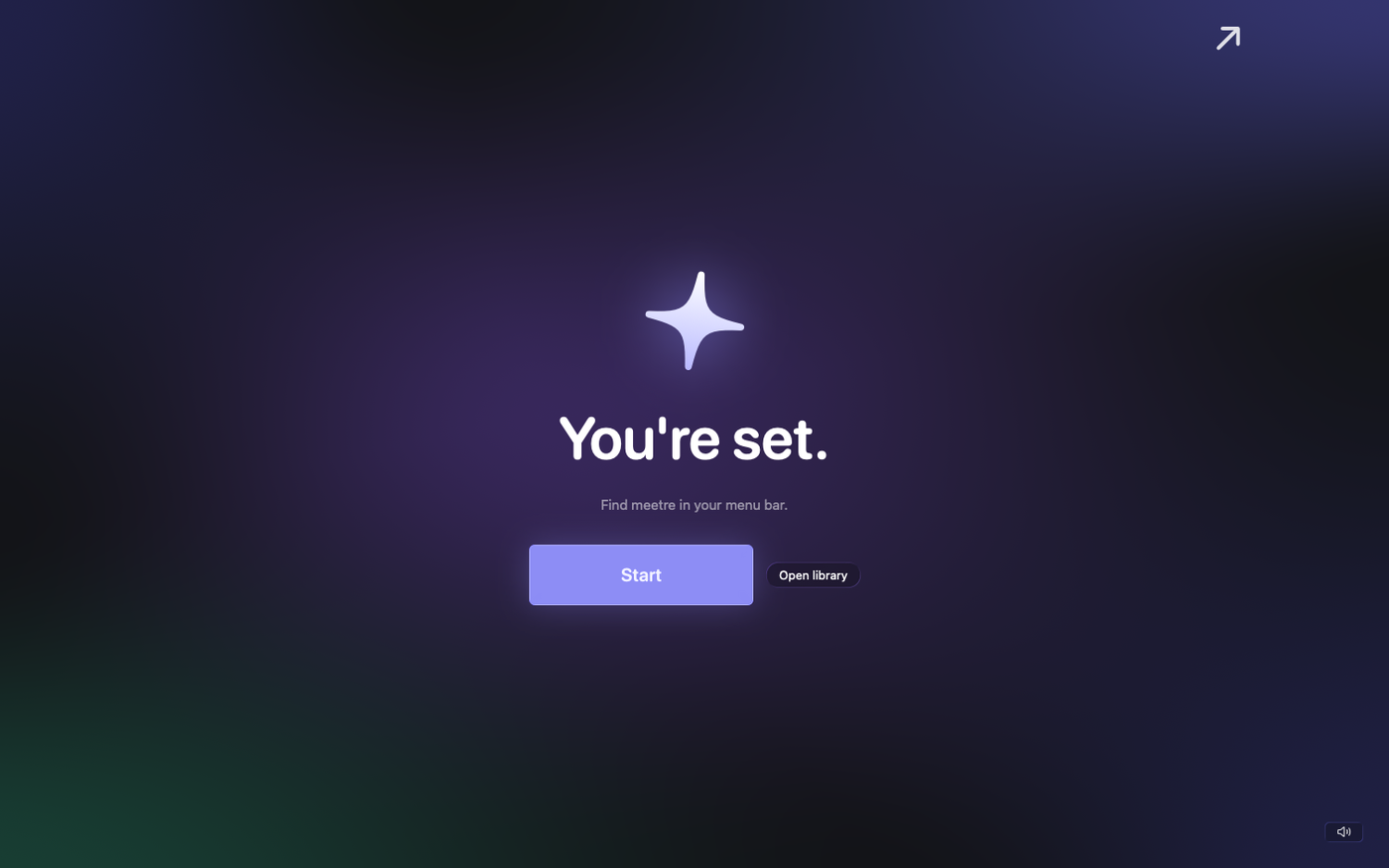
There's one exception to all this restraint. The first launch of meetre is a full-screen window over your blurred desktop with a slowly drifting mesh gradient behind it, indigo and violet with a hint of green, at no more than 55% opacity. Big rounded type says "Hi." and then walks you through setup in a few short lines. The install step is one glass card with at most five toggles.
It's allowed to be atmospheric because it happens once, it's the only thing on screen, and there's no long text to read. It's also the only place in the app where rounded display type is allowed at all. Having a single, clearly fenced-off place for the pretty stuff makes it much easier to say no to it everywhere else.
Same rule, different medium
I didn't expect this restraint to leak into marketing, but it did. When I made the screenshots for TaskAlarm, the first round had little badges and captions under the screens. All the things app landing pages tend to have. I took them out. The brand guide now says it plainly: plain black background, real screenshots, the icon and the wordmark, no gradients, badges, stickers or extra captions. Let the app do the talking.
It's the same principle as the glass. Decoration around the content competes with the content. If the screenshot of the app isn't interesting enough on a black background, a purple gradient won't save it.
I keep getting asked whether I like Liquid Glass. I do, a lot. I just like it best in the places where I nearly didn't use it.